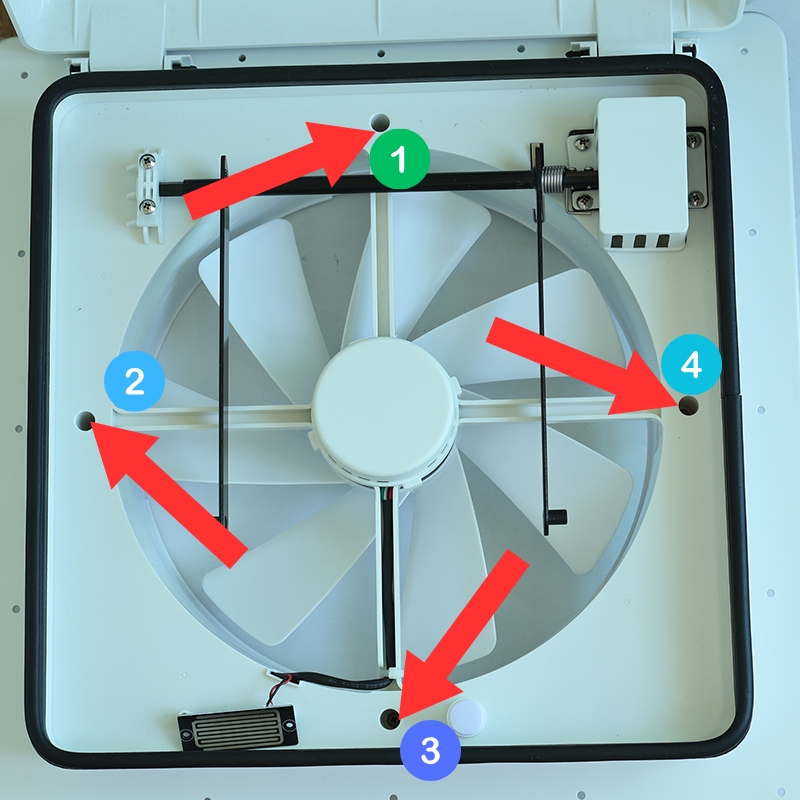
Step 1: Remove the four screws from the fan's frame.
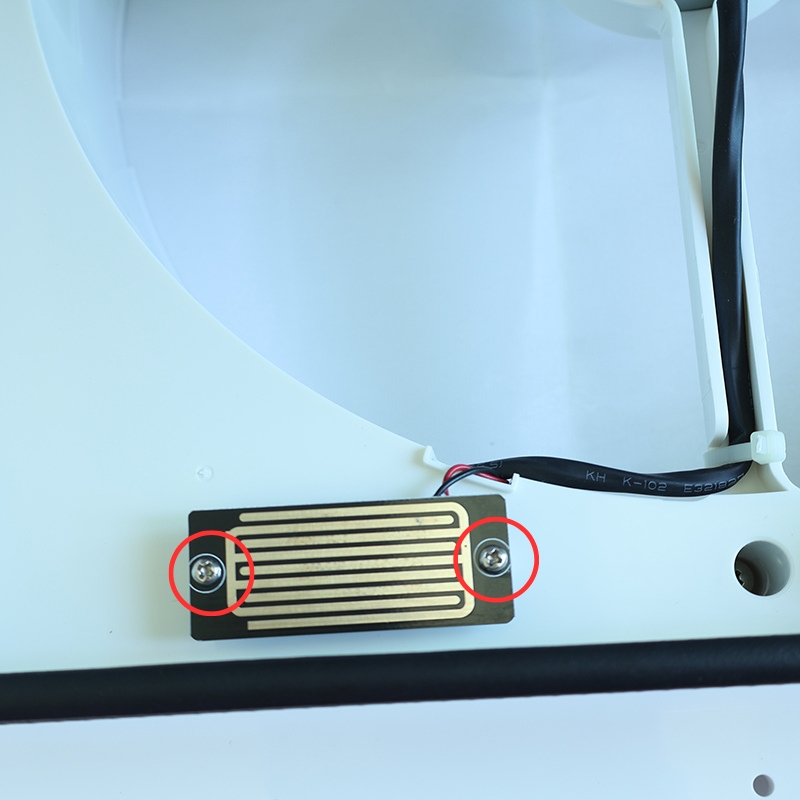
Step 2: Remove the two screws securing the rain sensor.
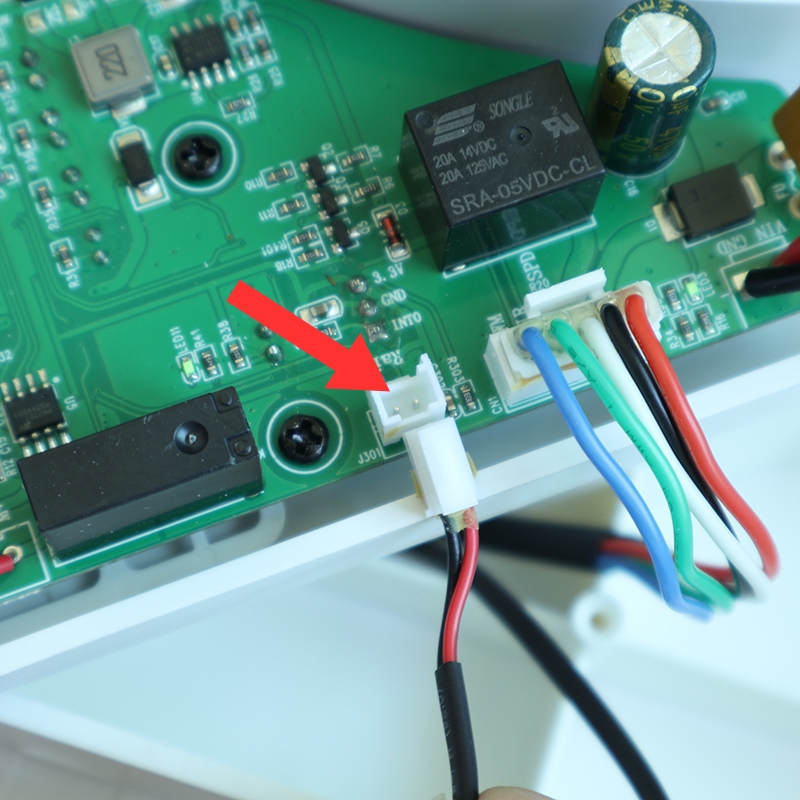
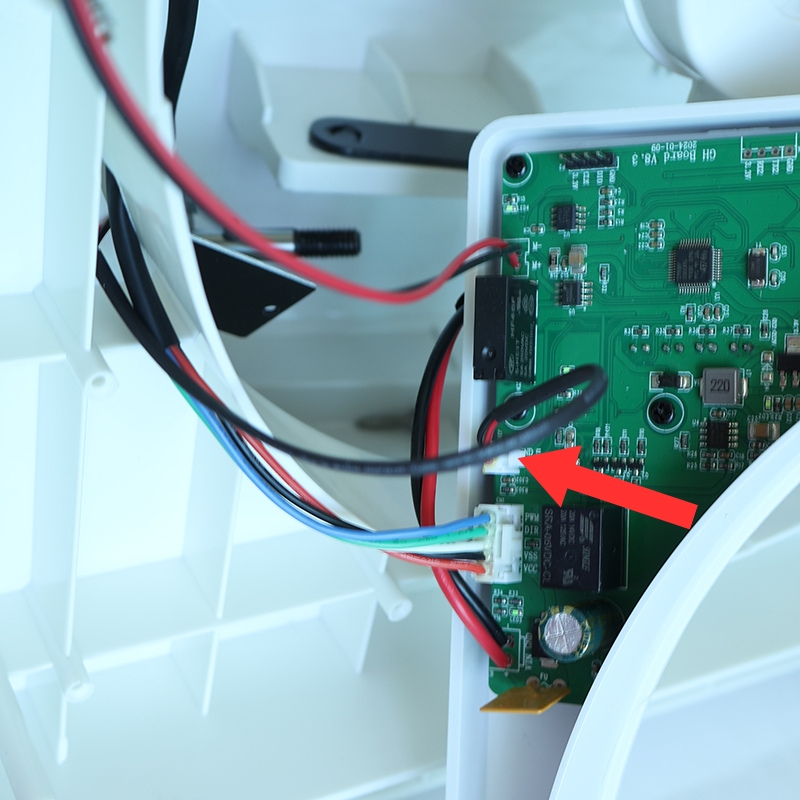
Step 3: Open the fan's frame and disconnect the rain sensor wire from the circuit board.
Congratulations! You've successfully removed the rain sensor. Follow the steps below to install the new one.
Step 4: Secure the new rain sensor replacement with two screws.
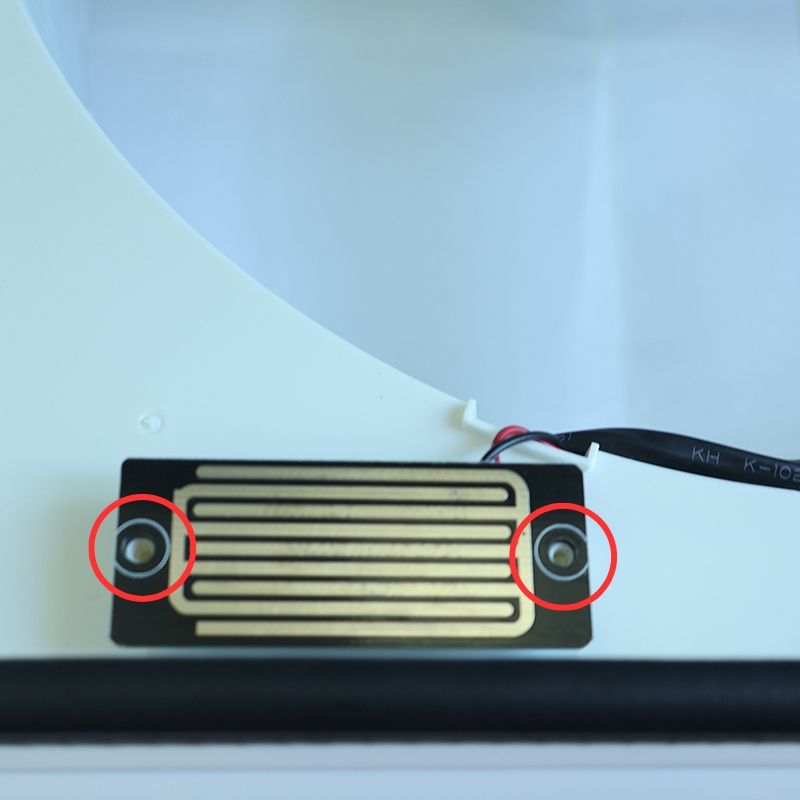
Step 5: Thread the rain sensor wire through the small hole nearby and connect it to the designated position on the circuit board.
Step 6: Secure the fan's frame by tightening the four screws.